Your Google Business Profile can generate valuable business opportunities every day. Potential customers discover your business through Google Search and Google Maps, review your services, browse your photos, read customer reviews, and decide whether to call, visit your website, request directions, or contact your business.
But how do you know whether your Google Business Profile is actually producing results?
Many business owners focus on improving rankings, collecting reviews, and optimizing their profile without measuring what happens afterward. While visibility is important, the real goal is generating qualified leads that turn into paying customers.
Tracking calls and leads helps you understand whether your Google Business Profile is contributing to business growth. Instead of guessing which marketing activities are working, you can evaluate customer behavior, identify successful optimization strategies, and make informed decisions about future improvements.
Fortunately, Google provides several built-in tools that allow businesses to monitor customer interactions. Combined with website analytics and proper tracking methods, these insights provide a clearer picture of how customers discover and engage with your business.
This guide explains how to track calls, website visits, direction requests, and other valuable customer actions generated by your Google Business Profile while using that information to strengthen your local SEO strategy.
Key Takeaways
- Tracking customer actions helps measure the effectiveness of your Google Business Profile.
- Google Business Profile Insights provides valuable information about customer interactions.
- Website analytics help identify visitors arriving from your Business Profile.
- Monitoring trends over time supports better marketing decisions.
- Regular reporting helps improve local SEO and lead generation.
Why Tracking Google Business Profile Performance Matters

Your Google Business Profile is more than an online listing—it’s a marketing tool that can influence purchasing decisions before customers ever visit your website.
Without tracking your results, it’s difficult to determine whether your optimization efforts are producing meaningful business outcomes. You may notice increased profile views but not realize whether those views are generating phone calls, appointments, or sales.
Tracking customer interactions provides valuable insight into how people engage with your business. For example, you can identify whether customers prefer calling directly from your profile, visiting your website first, or requesting directions before making contact.
These patterns help you understand customer behavior and identify opportunities to improve your profile.
Instead of relying on assumptions, businesses that monitor performance can make decisions based on actual customer activity.
Know What a Lead Looks Like for Your Business
Not every customer interaction has the same value. Before you start tracking performance, it’s important to identify which actions truly represent a potential customer.
For most local businesses, a lead is any meaningful action that shows genuine interest in your products or services. This might include phone calls, contact form submissions, appointment requests, website visits, requests for driving directions, or messages sent through your Google Business Profile.
The most valuable leads depend on your business. A contractor may focus on calls requesting estimates, a medical practice may prioritize appointment bookings, a retail store may track requests for directions, and a law firm may pay closer attention to website inquiries.
Once you know which actions matter most, you can focus on the metrics that reflect real business opportunities instead of trying to monitor every available statistic. Tracking the right leads gives you a clearer picture of what’s working and where you can improve your local marketing efforts.
Track Customer Activity with Google Business Profile Insights
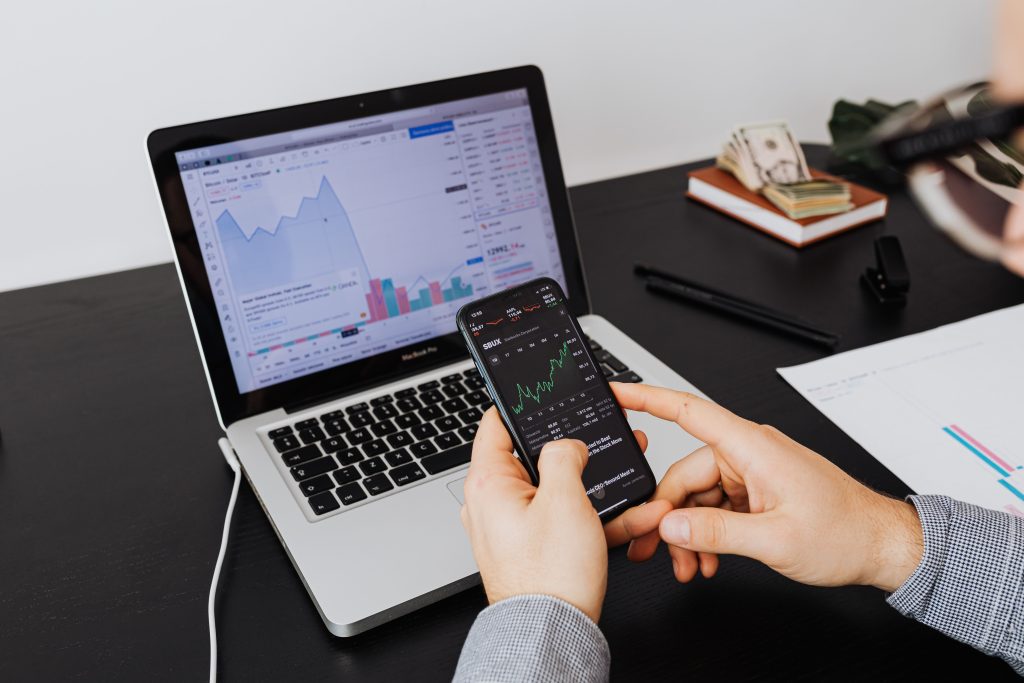
Your Google Business Profile does more than help customers find your business—it also provides valuable insights into how they interact with your listing.
The built-in performance reports show what people do after discovering your business on Google Search or Google Maps. Depending on the available data, you can monitor profile views, website clicks, phone calls, requests for directions, and other customer actions.
While these insights don’t reveal every step of the customer journey, they offer a clear picture of how your profile is performing. By reviewing your data regularly, you can spot patterns and measure the impact of your optimization efforts over time.
For example, if phone calls, website visits, or direction requests increase after adding new photos, updating your business information, or posting fresh content, it’s a good sign that your profile is attracting more attention and encouraging potential customers to take action.
Track Phone Calls From Your Business Profile
Phone calls are one of the most valuable actions generated by many Google Business Profiles.
Customers searching for local services often prefer calling immediately rather than filling out online forms. Because of this, monitoring phone call activity provides useful insight into how effectively your profile converts searchers into potential customers.
Google Business Profile reports can show trends in customer call activity, helping you understand when customers are most likely to contact your business.
Pay attention to changes over time. If calls increase after updating business hours, responding to reviews, or improving your profile, those improvements may be contributing to stronger customer engagement.
It’s also important to ensure your phone number remains accurate across your website and online directories. Consistent contact information reduces confusion and makes it easier to attribute calls to your marketing efforts.
Monitor Website Visits and Customer Behavior

For many customers, visiting your website is the next step before contacting your business. They’re often looking for more information about your services, pricing, experience, business hours, or other details that help them make a decision.
Traffic from your Google Business Profile can be especially valuable because it represents people who have already shown interest in your business. Website analytics tools can help you track these visitors and understand how they found your site.
Don’t stop at counting visits. Look at what people do once they arrive. Do they request a quote, fill out a contact form, schedule an appointment, or leave without taking any action?
Understanding these customer behaviors can reveal what’s working and where improvements are needed. Combined with your Google Business Profile insights, website analytics provide a clearer picture of how effectively your online presence turns interested visitors into new customers.
Turn Direction Requests into a Valuable Business Metric
Every request for directions is a sign that someone is considering a visit to your business.
When customers use Google Maps to get directions, they’ve often moved beyond browsing and are taking the next step toward becoming a customer. Although not every visit results in a purchase, direction requests are a strong indicator that your Google Business Profile is capturing local interest.
Review this metric regularly to spot trends. If direction requests increase after you upload new photos, update your business hours, or improve your profile information, those changes may be making your business more attractive to nearby customers.
For businesses that depend on foot traffic, this data is especially valuable. Restaurants, retail stores, medical offices, auto repair shops, salons, and many other local businesses can use direction requests to measure how effectively their online presence is driving in-person visits.
When combined with phone calls, website clicks, and appointment requests, direction requests help paint a clearer picture of how your Google Business Profile is turning online searches into real customer opportunities.
Monitor Messages and Appointment Requests

Depending on the features available for your Business Profile, customers may be able to contact your business directly through messaging or appointment booking tools.
These interactions represent valuable leads because they indicate that customers are actively seeking more information or are ready to schedule a service.
Responding promptly to inquiries helps create a positive customer experience and may increase the likelihood of converting those leads into paying customers. Delayed responses can cause potential customers to contact another business instead.
If your business offers online booking, monitor how many appointments originate from your Google Business Profile compared to other marketing channels. Understanding where appointments come from helps you identify which marketing efforts generate the strongest results.
Use Website Analytics to Understand Customer Behavior
While Google Business Profile Insights shows how customers interact with your profile, website analytics provides a clearer picture of what happens after someone clicks through to your website.
Review metrics such as page views, time spent on your website, completed contact forms, quote requests, and appointment submissions. These actions help determine whether visitors arriving from your Business Profile are becoming qualified leads.
You should also identify which pages receive the most traffic from Google Business Profile visitors. If one service page consistently attracts interest, consider expanding its content or improving its call to action to encourage even more conversions.
Combining Business Profile insights with website analytics provides a more complete understanding of the customer journey.
Measure Conversion Rates Instead of Traffic Alone
High profile views are encouraging, but they don’t necessarily indicate business success.
A more meaningful measurement is your conversion rate—the percentage of visitors who take a desired action after finding your business.
For example, you may compare:
- Phone calls generated from your profile
- Website contact form submissions
- Appointment requests
- Quote requests
- Direction requests
- Online purchases, if applicable
Focusing on conversions helps you evaluate the true effectiveness of your Google Business Profile rather than simply tracking visibility.
As your optimization efforts improve, you should ideally see not only more profile activity but also more meaningful customer interactions.
Use UTM Parameters for More Accurate Tracking
Businesses that want more detailed reporting often use UTM parameters when linking their website from their Google Business Profile.
UTM parameters are small pieces of tracking information added to a website URL. They allow website analytics platforms to identify visitors arriving specifically from your Google Business Profile instead of grouping all traffic.
This additional detail helps you understand how many visitors came from your Business Profile, which pages they viewed, how long they stayed, and whether they completed valuable actions such as submitting a contact form or requesting an estimate.
When implemented correctly, UTM tracking provides clearer reporting and supports more informed marketing decisions.
Establish a Regular Reporting Schedule
Tracking is most valuable when performed consistently. Rather than reviewing your Business Profile only occasionally, establish a routine for monitoring key performance indicators every month. Regular reporting makes it easier to identify long-term trends and evaluate whether recent optimization efforts are producing measurable improvements.
A monthly report might include:
- Total profile views
- Phone calls
- Website visits
- Direction requests
- Customer reviews received
- New photos added
- Google Business Profile posts published
Over time, these numbers tell the story of your local SEO performance. They help you identify what’s driving results, uncover opportunities for improvement, and make smarter decisions to keep your business growing.
Common Tracking Mistakes That Can Mislead Your Results
Tracking your Google Business Profile performance is only useful if you’re measuring the right data the right way. Unfortunately, many businesses make simple mistakes that lead to inaccurate conclusions and missed opportunities.
One of the biggest mistakes is paying attention only to search rankings. Appearing higher in local search is helpful, but rankings alone don’t generate revenue. What truly matters is whether people are calling your business, visiting your website, requesting directions, or becoming customers.
Another common mistake is checking performance too infrequently. Reviewing your data only once or twice a year makes it difficult to spot trends or determine whether your optimization efforts are actually improving results. Consistent monthly tracking provides a much clearer picture of your progress.
It’s also important not to rely on just one metric. Phone calls, website clicks, direction requests, customer reviews, and profile views each reveal different aspects of customer behavior. Looking at all of these metrics together gives you a more complete understanding of your business’s performance.
Finally, avoid making quick decisions based on only a few days of data. Local SEO and online marketing take time to produce measurable results. Instead of reacting to short-term fluctuations, focus on long-term trends that reveal what’s consistently working and where you have opportunities to improve.
Turn Data Into Better Business Decisions
The purpose of tracking isn’t simply collecting numbers—it’s improving future performance.
Use the information you gather to identify growth opportunities. If customers frequently visit one service page, consider expanding similar content. If phone calls increase after adding new photos or responding more quickly to reviews, continue investing in those activities.
You can also identify areas needing improvement. For example, if many customers visit your website but few complete your contact form, your website’s calls to action may need refinement.
Regular analysis helps you make informed decisions based on customer behavior rather than assumptions, allowing your Google Business Profile to become an increasingly valuable source of qualified leads.
Advanced Strategies for Measuring Long-Term Success
Tracking calls and leads from your Google Business Profile becomes even more valuable when you compare performance over longer periods. Looking at monthly or quarterly trends provides a clearer picture than focusing on day-to-day changes, which can fluctuate due to seasonality, holidays, or normal customer behavior.
As you collect more data, look for patterns. You may discover that certain services generate more phone calls than others or that specific months consistently produce higher customer engagement. These insights allow you to adjust your marketing strategy, publish more relevant content, and allocate resources where they can have the greatest impact.
It’s also helpful to compare your Google Business Profile performance with other marketing channels. For example, evaluate whether customers who find you through Google Search behave differently from those who arrive through social media, email campaigns, or paid advertising. Understanding these differences helps you develop a more balanced marketing strategy while identifying where your highest-quality leads originate.
Over time, consistent reporting transforms your Google Business Profile from a simple business listing into a measurable marketing asset that supports smarter business decisions.
Why Regular Performance Monitoring Matters

Many businesses only check their performance after phone calls slow down or website traffic drops. By then, they may have already lost potential customers.
Monitoring your Google Business Profile regularly helps you catch small problems before they grow into bigger ones. For example, a sudden drop in phone calls could mean your business hours are outdated, your contact information is incorrect, or customers are becoming less engaged.
Regular tracking also shows whether your optimization efforts are paying off. If you start posting weekly updates, add new photos, or receive more customer reviews, your reports can reveal whether those improvements are leading to more calls, website visits, and other customer actions.
Google Business Profile optimization isn’t something you do once and forget. It requires ongoing attention. Businesses that monitor their performance consistently can make smarter decisions, improve their visibility, and stay ahead of the competition in local search.
Final Thoughts
Your Google Business Profile can become one of your most valuable sources of qualified local leads—but only if you understand how customers interact with it.
Tracking calls, website visits, direction requests, appointment bookings, and other customer actions allows you to measure the real impact of your optimization efforts. Instead of relying on assumptions, you can make informed decisions based on actual customer behavior.
Remember that successful tracking isn’t about monitoring numbers alone. It’s about understanding which improvements encourage more customer engagement and continuously refining your profile to deliver a better experience.
Regularly reviewing your performance, keeping your business information accurate, responding to customer feedback, and continuously improving your profile will help you attract more local customers and drive long-term business growth.
Frequently Asked Questions
Can Google Business Profile show how many people called my business?
Yes. Google Business Profile provides performance insights that include trends in customer phone calls generated through your profile. These reports help you understand when customers are contacting your business and how call activity changes over time.
Can I see how many people visited my website from Google Business Profile?
Yes. Google Business Profile shows website clicks, and website analytics tools can provide additional information about visitor behavior after someone arrives on your site. Combining both sources creates a more complete picture of customer activity.
What is the most important metric to track?
The answer depends on your business goals. Service-based businesses often prioritize phone calls and contact form submissions, while retail businesses may focus on requests for directions and store visits. Rather than relying on a single metric, evaluate multiple customer actions to understand overall performance.
How often should I review my Google Business Profile performance?
Monthly reviews work well for most businesses. A consistent reporting schedule helps identify trends, measure the impact of optimization efforts, and support informed marketing decisions.
Do more profile views always mean more customers?
Not necessarily. Profile views indicate visibility, but they don’t always result in leads or sales. Measuring phone calls, appointment requests, website inquiries, and other meaningful customer actions provides a better understanding of business performance.
Should I use professional help to track my results?
Many businesses can monitor their own Google Business Profile performance using the available reporting tools. However, professional assistance may be beneficial if you want more advanced reporting, deeper analytics, or a comprehensive local SEO strategy that connects profile performance with broader marketing goals.